Dageno AI Changelog: Comprehensive Agent System Upgrade, Knowledge Base & Resource Management, Audit Agent Launch, Multitasking Experience Optimization
Dageno AI’s latest update delivers a major Agent system upgrade, stronger knowledge base and resource management, the new Audit Agent, and a smoother multitasking experience.
Track AI search visibilityNo install
Updated by
7 Min Read
Updated on May 30, 2026
Last week, we launched the multi-task board and MCP, enabling GEO work to be executed in batches and called by any system.
But very soon, new feedback came in:
-
The multi-task board is very useful, but when I use Agent for analysis, I still can only do one thing at a time. Can it be like the board, where I can open several Agent sessions at the same time without waiting for one to finish before starting the next?
-
Every time I talk to Agent, I have to introduce the brand positioning, core keywords, and target markets all over again. Our brand information does not change every day. Can Agent remember this background so I do not have to start from scratch every time?
-
The Diagnosis Center tells me that the website’s technical foundation is 75 points, so I know there is a problem. But I still have to check by myself which security header is missing, which Schema field is absent, and which Core Web Vitals metric does not meet the standard. Can it directly tell me where the problem is and how to fix it?
These pieces of feedback point to the same essence: often, it is not that we do not know what to do, but that too much time and attention are lost on trivial steps such as “repeatedly entering information,” “waiting for tasks to finish,” and “checking documentation to find problems.”
This is the starting point of this Dageno AI update. We solve these problems from three directions:
interaction experience optimization, knowledge base & resource management, and the launch of Audit Agent.
1. Interaction Optimization: Freely Drag Layouts, Freely Switch Between Multiple Tasks
Previously, the Agent interface could only focus on one task at a time.
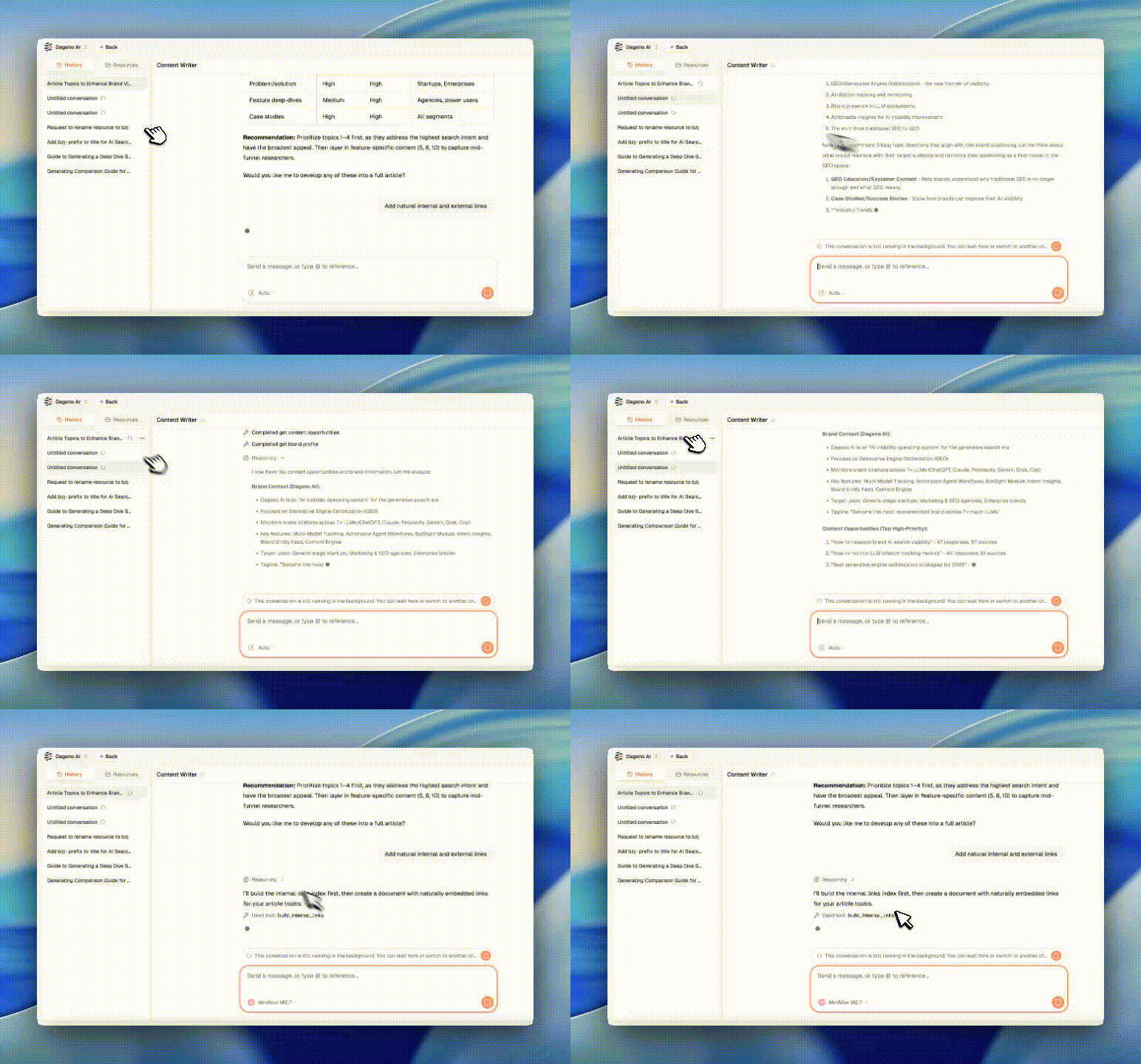
Now you can: freely switch between multiple tasks, without interrupting sessions
-
Open multiple Agent sessions at the same time
-
Each session maintains independent context and progress
-
Quickly switch between different tasks without worrying about losing the current work
-
Tasks continue running in the background, and results are ready when you switch back
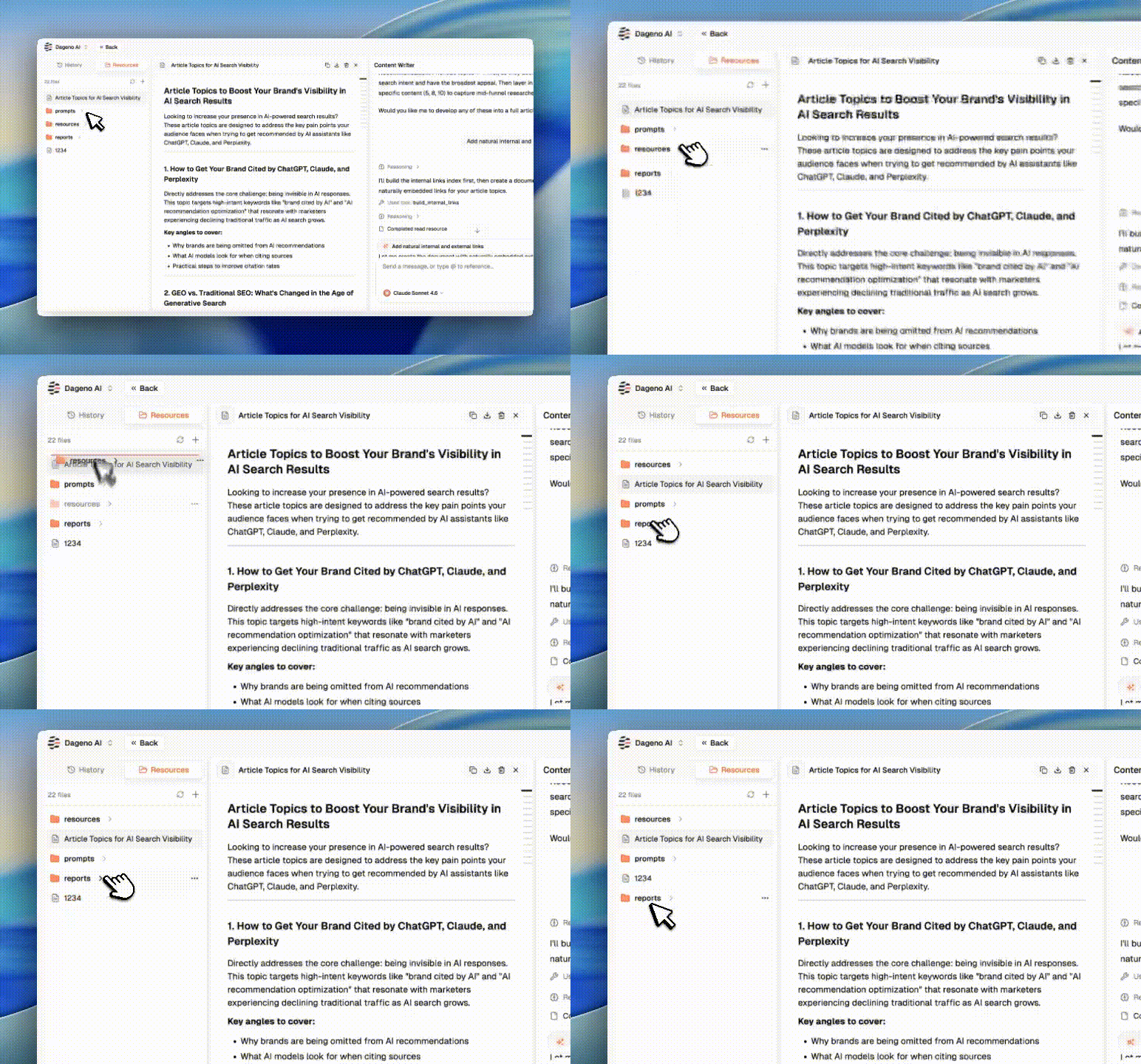
Freely Drag Panels and Customize Workspace Layouts
-
Put the article folder at the top
-
Put the diagnosis result report at the bottom
-
Adjust size and position at any time to fit your working habits
Typical Use Case
You are using Diagnosis Agent to analyze SEO issues on the main site, while also wanting to use GEO Agent to check the brand’s visibility performance on ChatGPT. Now you do not need to wait for the first task to finish. You can directly open a second session, and the two tasks run in parallel. When you need to compare results, place the two panels side by side, and everything is clear at a glance.
2. Knowledge Base & Resource Management: Upload Once, Reuse Continuously
Every time you talk to Agent, you have to re-enter brand information, paste reference documents, and explain business background. This repetitive work can now be completely eliminated:
-
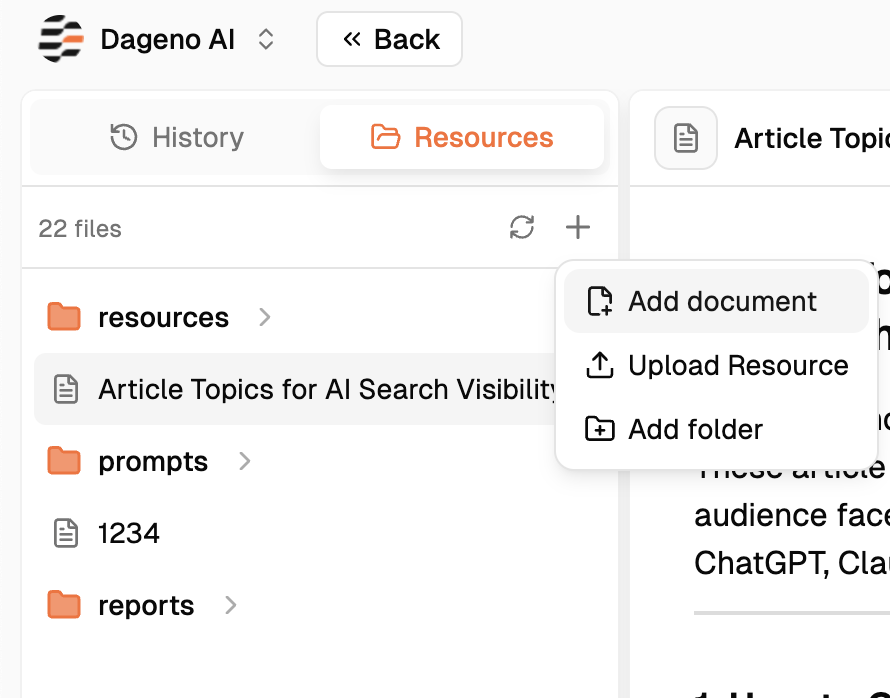
Upload documents with one click and automatically fill in context
-
Add resource folders and manage reference materials in batches
-
Fill the brand knowledge base, and Agent automatically remembers your brand
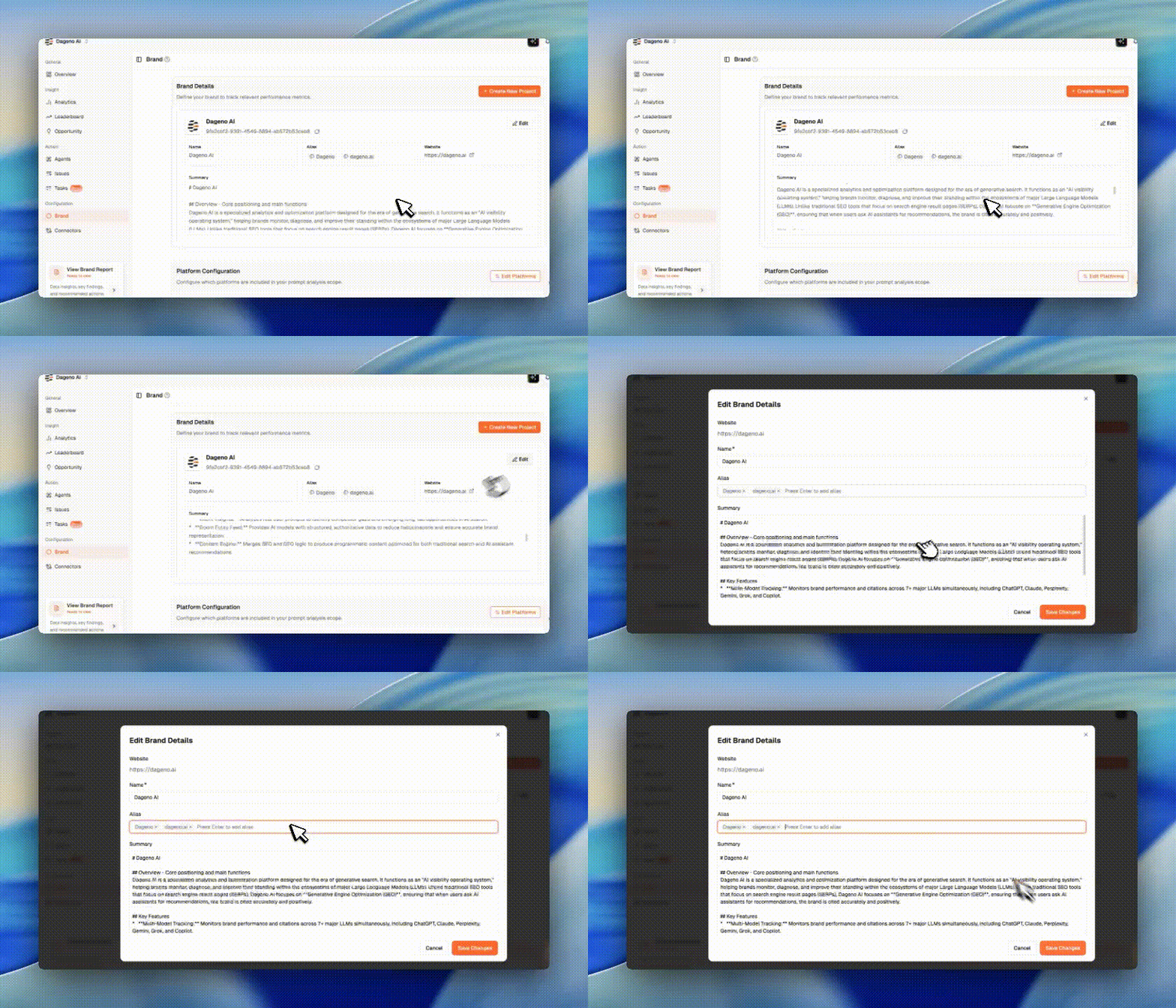
Typical Use Case
When using GEO Agent for analysis, there is no need to explain, “We are an AI productivity tool, mainly serving brands expanding overseas, and our core competitors are X, Y, Z…”
Now this information is already in the knowledge base. Agent directly knows your brand background, and the conversation starts from the analysis itself, without repetitive setup.
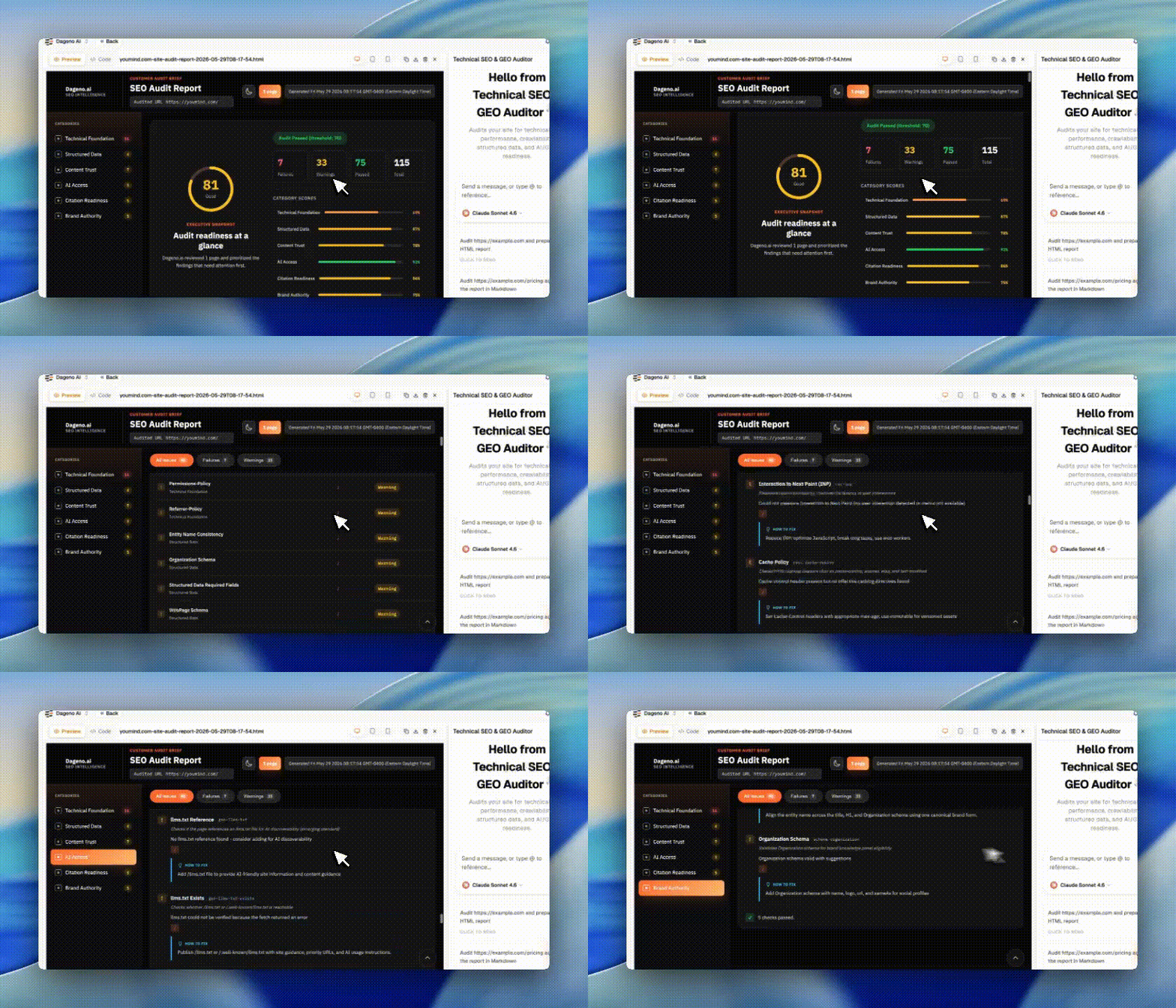
3. Audit Agent Launch: From “Identifying Problems” to “Providing Solutions”
The Diagnosis Center can tell you the SEO health score of a website, but many teams have given feedback: “Knowing there is a problem is only the first step. It still takes a lot of time to check exactly where the problem is, why it is a problem, and how to fix it.”
Audit Agent is built to solve this problem:
Technical Foundation Audit
-
HTTPS & security configuration: check SSL certificates, TLS protocols, and security headers (HSTS, CSP, X-Content-Type-Options)
-
Mobile adaptation: Touch Targets size, viewport configuration, responsive layout
-
Crawler accessibility: robots.txt configuration, Blocked Resources, Sitemap status
-
Basic page elements: Title length, Meta Description, Canonical tags
Performance Diagnosis
-
Core Web Vitals: LCP (Largest Contentful Paint), INP (interaction response time), CLS (layout stability)
-
Resource optimization: Render-Blocking Resources, Cache Policy, DOM Size
-
Loading speed: first-screen time, resource loading bottlenecks
Structured Data Check
-
Schema completeness: Organization Schema, Product Schema, FAQ Schema
-
Brand consistency: whether entity names in Title, H1, and Schema are consistent
-
Required fields: whether required Schema fields are complete and whether the format is correct
Security and Compliance
-
Security header configuration: Permissions-Policy, Referrer-Policy, X-Frame-Options
-
Privacy protection: Cookie policy, third-party script audit
-
GDPR compliance: privacy statement, user consent mechanism
Practical Use Cases
Scenario 1: Technical Check Before Website Launch
Before the website is officially released, run a complete check with Audit Agent to ensure:
-
All security headers are configured correctly
-
Core Web Vitals meet the standard
-
Schema is complete and correctly formatted
-
Mobile experience meets the standard
Scenario 2: Technical Troubleshooting for SEO Optimization
Website traffic has declined, and you suspect a technical problem. Use Audit Agent to quickly locate:
-
Whether any pages have been mistakenly blocked by robots.txt
-
Whether Canonical tags are configured incorrectly
-
Whether a large number of Render-Blocking Resources are affecting loading speed
Scenario 3: Technical Benchmarking Against Competitors
You want to know what competitors are doing right at the technical level. Use Audit Agent to analyze competitor websites:
-
Which fields their Schema configures
-
How their Core Web Vitals perform
-
Which security configurations are worth learning from
How to Get Started?
-
Interaction optimization: log in to the Dageno backend and click the Agent interface
-
Audit Agent: select “Audit Agent” from the Agent list and enter the website URL to be checked
About the Author

Updated by
Tim
Tim is the co-founder of Dageno and a serial AI SaaS entrepreneur, focused on data-driven growth systems. He has led multiple AI SaaS products from early concept to production, with hands-on experience across product strategy, data pipelines, and AI-powered search optimization. At Dageno, Tim works on building practical GEO and AI visibility solutions that help brands understand how generative models retrieve, rank, and cite information across modern search and discovery platforms.
Related Articles
2026 GEO Status and Trend Research Report for the Crane Industry
Tim • Apr 30, 2026
2026 Global BI Software AI Search Visibility (GEO) Benchmark Report
Tim • Apr 25, 2026
Inside Dageno AI: The GEO Full-Funnel System Explained by Peter Rota

Peter Rota • May 26, 2026
Introduction to Dageno AI Diagnostic Center (2) - Prompt Mining Panel & High-Heat Prompt Generation
Tim • Jun 10, 2026